
This month's release for TruffleHog Enterprise is focused on the places secrets leak outside of code, and on deeper visibility into your scan operations. It's headlined by TruffleHog Enterprise joining the Slack Marketplace, with continuous scanning of new messages and historical scanning of everything already in your workspace. Alongside it, Scan Monitoring adds per-run scan details and a queryable activity log, and Source Archiving lets you retire an integration without losing its findings.
What's new
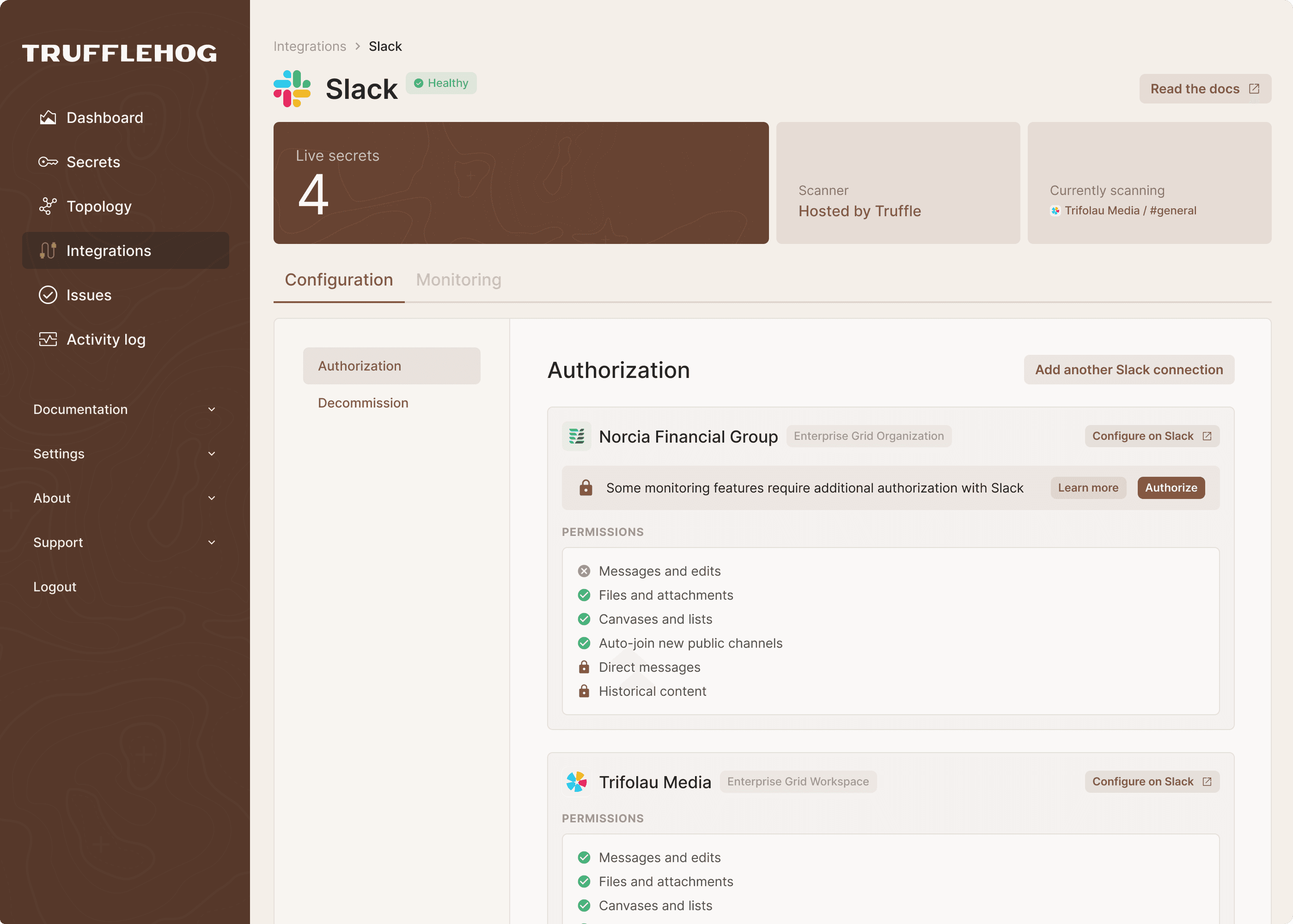
TruffleHog Enterprise is now a listed app in the Slack Marketplace. Slack Continuous scans Slack for exposed credentials across messages, files, channels, and DMs, covering both existing content and new and edited activity going forward.
The problem we’re solving
Credentials regularly get shared in Slack outside the controls that protect source code, from keys pasted into channels to configuration files shared during incidents. Traditional bot-based scanning can leave historical content, private channels, and DMs out of reach.
What’s happening under the hood
For Enterprise Grid organizations, one authorization provides historical and continuous scanning across every workspace, including private channels and DMs, without channel-by-channel bot invitations. Credentials are checked to determine whether they’re active, and repeat exposures are consolidated into a single finding.
What this unlocks
Find exposed credentials across the Slack content your organization already has and the conversations happening now, with actionable findings alongside the rest of TruffleHog Enterprise.
To get started, install TruffleHog from the Slack Marketplace and authorize the integration in Slack.
Activity Log
What’s new
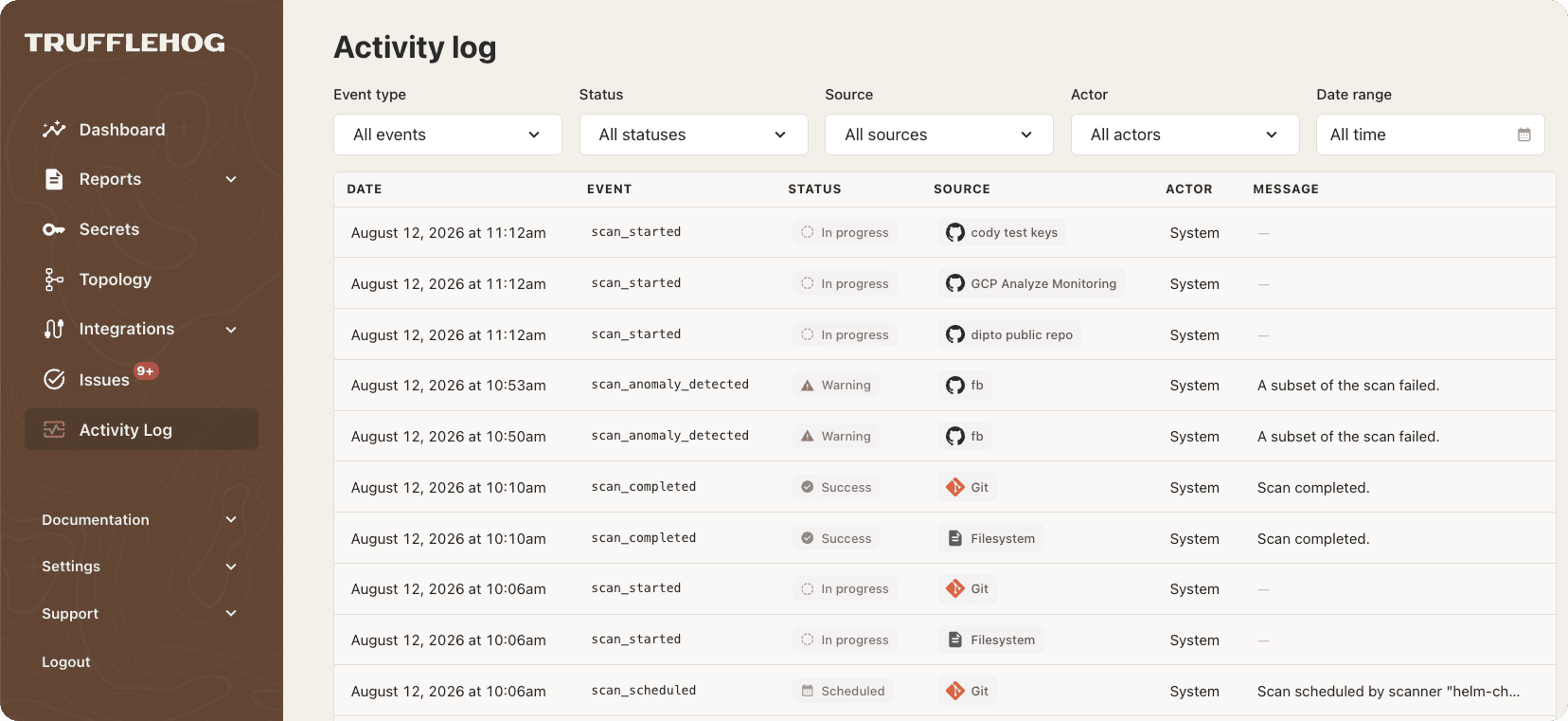
You can now see the full scan history for every connected source in one place. Filter by event type, status, source, actor, or date range to spot failures, slow scans, or gaps in coverage at a glance.
The problem we’re solving
A connected source doesn’t necessarily mean every scan completed successfully. Without scan history, it’s difficult to distinguish a one-time error from a recurring problem or understand what a failed run missed.
What’s happening under the hood
Scan events are recorded as a historical log, with clear distinctions between runs that Failed and those that Completed with Errors. TruffleHog also flags completed scans that scanned nothing or finished unusually quickly, and retains scan events for 90 days.
What this unlocks
Answer “Is this source scanning?” and “Did that run cover everything?” directly in TruffleHog, or use the read API to bring scan-health data into tools like Datadog, Splunk, and Slack.
Source Archiving
What’s new
Source Archiving lets you stop scanning a source without deleting its findings. Archived findings remain searchable with their triage history intact, while archived sources are removed from the default Integrations view.

The problem we’re solving
Retiring a source previously meant choosing between continuing to scan something you no longer needed or deleting the source and losing its findings and triage history.
What’s happening under the hood
Archiving stops scanning immediately, including scans already in progress, and records the action in the activity log. Archived sources can still be viewed from Integrations using Show archived.
What this unlocks
Decommission repositories, workspaces, and other sources while preserving the historical record of what they exposed.
All features are available now and included in TruffleHog Enterprise. For more information, visit trufflesecurity.com/enterprise. Or if you would like a demo of TruffleHog Enterprise, reach out to us at: https://trufflesecurity.com/contact


