
tl;dr Secrets sprawl beyond code. They accumulate on your infrastructure’s hosts: physical servers, virtual machines, cloud instances, containers, and CI/CD agents. Running the scanner from the
/rootdirectory parses the entire filesystem, but the following shortlist identifies the specific paths where secrets concentrate and are worth checking first.
Developer home directories get most of the attention, but they are only part of the story. Once host scanning begins, credentials surface across active engineering environments: build workspaces, install locations, temporary directories, and service paths. This article looks at the full scope of secrets sprawl on endpoint hosts and lays out guidance for addressing it.
What host-level exposure means
Host-level secret exposure means a secret is stored on, or reachable from, the host itself: a physical server, virtual machine, cloud instance, or container.
These exposures usually trace back to routine work by system administrators, DevOps engineers, cloud engineers, and SREs, the people responsible for keeping systems running. The exposure is a byproduct of the work itself: root and sudo sessions, install scripts, and troubleshooting all leave configuration files behind with secrets written straight to disk, without anyone noticing.
Why credentials end up on disk
The guidance here is settled: never hard-code a secret. Pass it in as an environment variable and ideally, from a centralized Vault, to fetch secrets dynamically. These are best practices worth following.
Credentials still reach the filesystem anyway. Environment variables are ephemeral on their own, so people write the export lines into shell profiles like .bashrc, and from then on the secret loads with every new session. Installers do their part too: self-contained software and agents commonly write API keys and license tokens into their own directory trees under /opt, or into their config files under /etc. A one-off database dump or credentials export lands in /tmp, often readable by every user on the box, and on servers that rarely reboot, temporarily becomes permanent. Debug logging echoes a connection string or a bearer token while someone is chasing a failure, and the log outlives the troubleshooting. None of this requires anyone to make a mistake. It's all a byproduct of normal work.
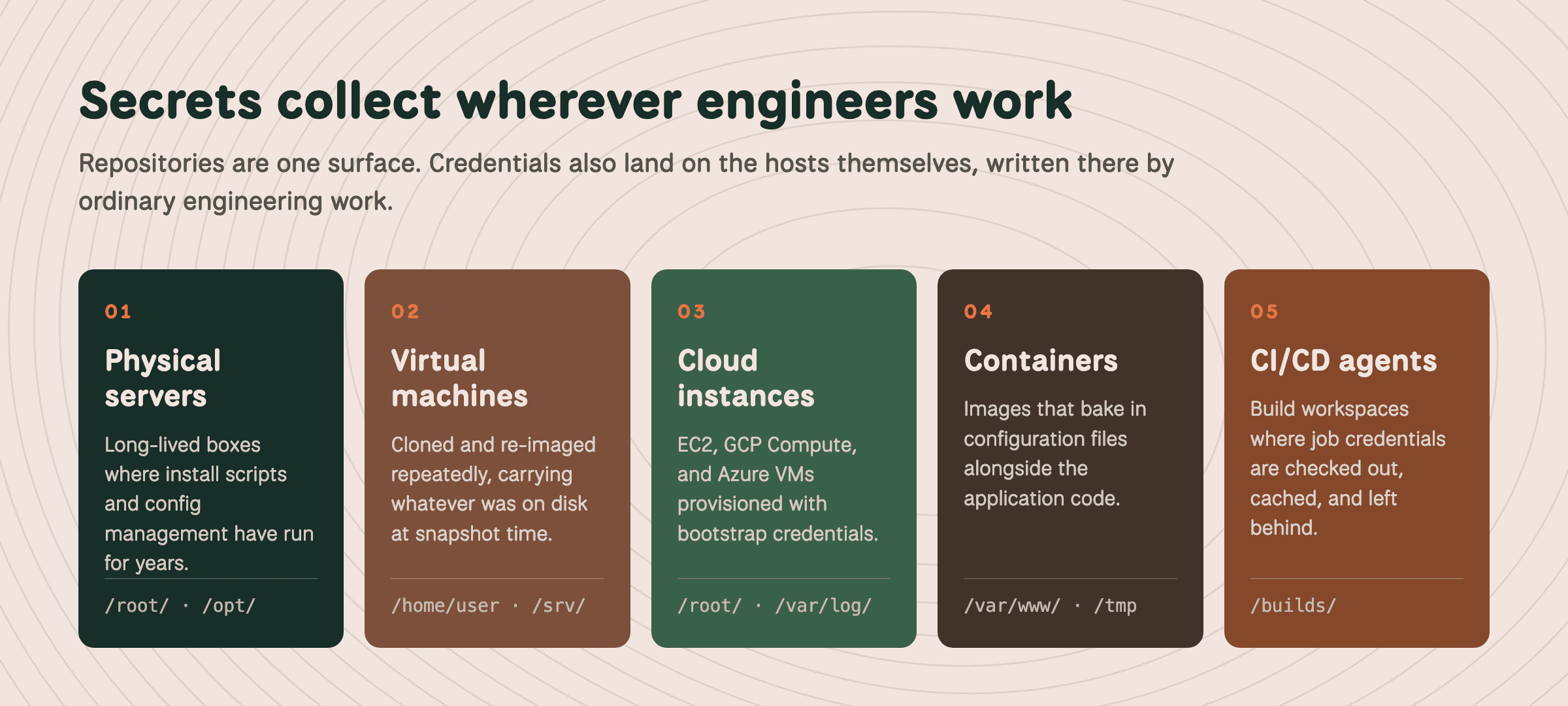
Secrets collect across every class of host in an environment, written there by ordinary engineering work.
Start with these directories
Scanning from the root directory (/) gives the most complete coverage, since the scan includes every file on the host. The trade-off is time and load. Reading that many files is disk I/O intensive, and on large filesystems a full root scan can take several hours to complete. If runtime or host load is a concern, we can scope the scan to specific directories, or run the full scan during a quieter window.
One operational note: because /root/ is typically mode 700, TruffleHog must run as root (or via sudo) to surface secrets there.
Directory Location | Description and common secrets |
|---|---|
| Root's own dotfiles and configuration files, following the same patterns as a standard user home directory. Install scripts, cron, systemd, and config management all run as root and drop secrets into a root-owned path. Common in cloud environments. |
| Secrets stored as environment variables in |
| Third-party software such as Splunk, storing license keys, API tokens, and credentials inside its own directory tree. |
| Data for services like web content and Git repositories. Often holds application config files such as |
| Web server content and application code, where credentials may be hard-coded or held in configuration files. |
| World-writable scratch space holding temporary exports and session tokens. Files may be readable by other users depending on permissions. |
| Persistent workspace that survives reboots, often holding secrets left behind by package builds and backups. |
| System and application logs, where secrets and credentials are sometimes echoed during execution. |
Self-hosted CI/CD servers and build agents
Build agents check out credentials, use them, cache them, and move on to the next job. The workspace directory is where that residue settles.
Directory Location | Platform and common secrets |
|---|---|
| GitHub Actions: Location is install-dependent. Workspace directories where ephemeral build artifacts and secrets can persist. |
| TeamCity: Agent paths often hold sensitive environment configuration along with secrets. |
| GitLab: The shell executor checks out to the runner user's home. The Docker and Kubernetes executors clone into /builds inside the job container, which makes that path one for image and volume scans. |
| Jenkins: Persistent storage for job data, and a common place for tokens to accumulate. Builds on agents land under each agent’s remote root, commonly /home/jenkins/agent/workspace/. |
| Bitbucket: The path is fixed, but exists only inside step containers that are torn down when the step ends, so it belongs in your container and image scans. |
Default paths for GitLab, TeamCity, Jenkins, and GitHub Actions are all relocatable, so confirm where your agents are actually configured before you scan.
A practical scan order
Scan the shortlist above on one representative host from each class: a server, a VM, a cloud instance, a container image, a build agent.
Note which directories return findings in your environment. Every host has its own nuances.
Widen the reach from there, and save the full scan from
/for when you can give it the hours it needs, ideally after production hours, if your team has the appetite for this approach.
Secrets reach your hosts the same way they reach everything else: as a byproduct of normal engineering work. Shell profiles persist environment variables, installers write tokens into /opt and /etc, one-off exports land in /tmp, logs capture what troubleshooting exposed, and build agents leave residue in their workspaces. The shortlist above tells you where to look first, and a representative host from each class tells you what your environment actually holds.
Unscanned hosts are one element of a wider coverage gap in your environment. The same credentials that settle on your servers also live in repos, cloud storage, chat apps like Slack and Teams, and a secret program is only as complete as its coverage. That's why TruffleHog scans filesystems alongside 20+ other sources: the visibility you build on your hosts should extend everywhere your secrets travel.


