Topology
Overview
Topology is an interactive graph of your secret exposure. It connects the services where secrets were found to the services those secrets grant access to, and marks which of them you are actually scanning. Use it to trace how far a single leaked credential could travel, prioritize the exposures that reach sensitive systems, and find services you should be scanning but aren't yet.
How it works
Topology is built from the verified secrets already in TruffleHog Enterprise. There is no need to configure anything separately.
For each live secret, Topology visualizes: the source service where the secret was found, and the target service the secret grants access to. It renders each service as a node and each source-to-target relationship as an edge. Every service is then placed in one of three groups based on whether TruffleHog can scan it and whether it is currently configured.
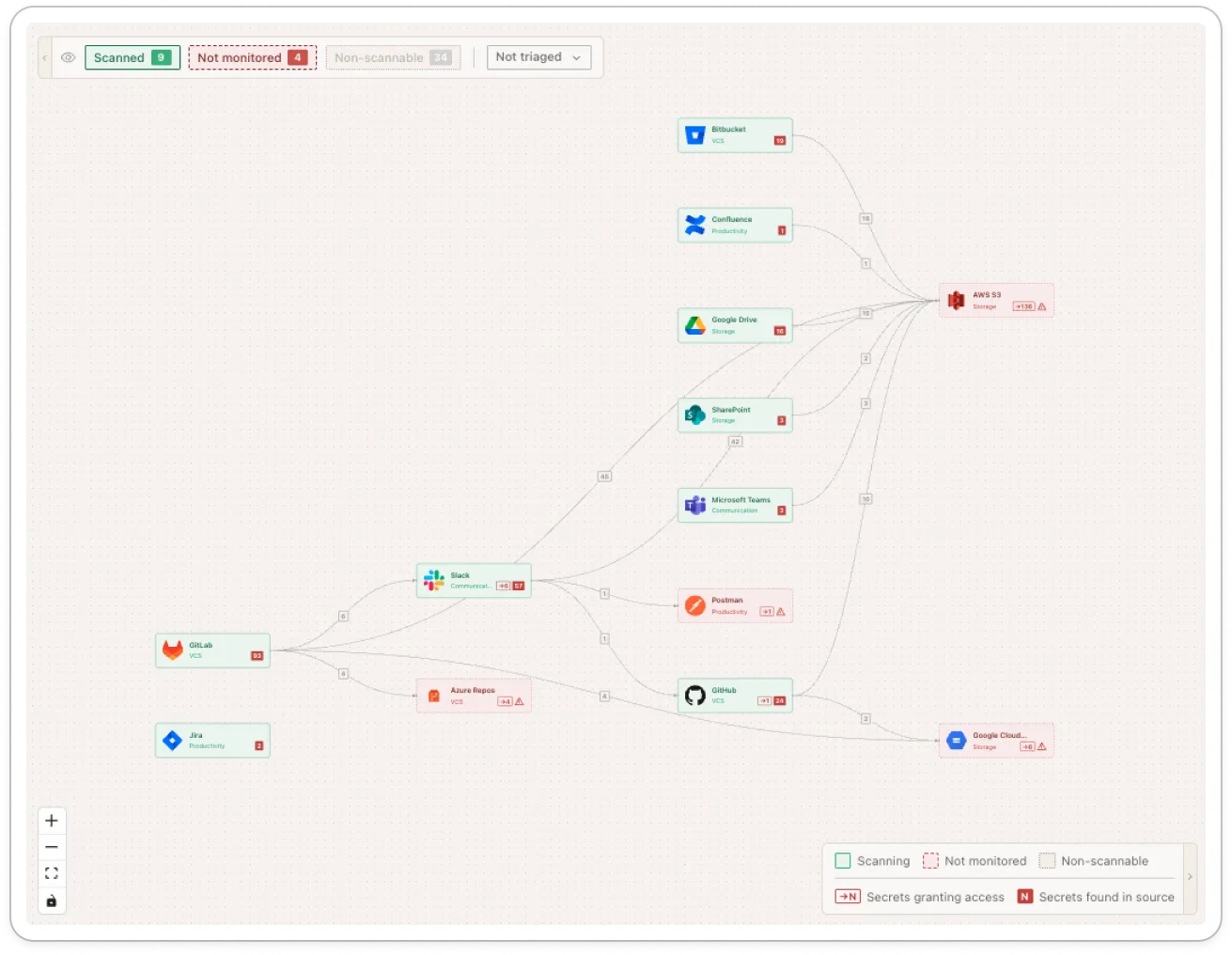
Every service on the graph falls into one of three categories.
Scanned | TruffleHog supports scanning this service and it is currently configured |
|---|---|
Not monitored | TruffleHog supports scanning this service, but it is not configured yet |
Non-scannable | There is no scanning integration for this service, so it appears only as a target |
Selecting an edge shows the source, the destination, how many secrets connect them, and the secret types involved, with a link to those findings. Selecting a node shows how many secrets were found there and how many grant access to it. When a service is scannable but not monitored, the panel links straight to configuring it. You can filter the graph by service category and by triage state.
Notes
- Topology is built from verified (live) secrets only. Unverified findings do not appear as nodes or edges.
- A service is shown only if it is being scanned, has secrets found in it, or has secrets that grant access to it. Services with none of these do not appear.
- Non-scannable services cannot be scanned by TruffleHog. They are shown as targets so the destination of a leak is still visible, but there is no coverage to configure for them.
- Topology is a read-only view. It does not change secret status, triage state, or any finding.
- The graph reflects your findings at load time. Changing the triage-state filter refreshes the data.