Postman
Postman
Edition: Enterprise + Open Source
The Postman integration scans workspaces, collections, requests, and authorization configurations in Postman for credentials and other sensitive data.
Configuration
The Postman integration can be configured in TruffleHog under Integrations, or via a local configuration file (below). Setup requires a Postman API key and, optionally, the IDs of the workspaces you want to scan.
Generating a Postman API key. Log into Postman and go to the API keys page. Set the expiration as needed and click Generate API Key.
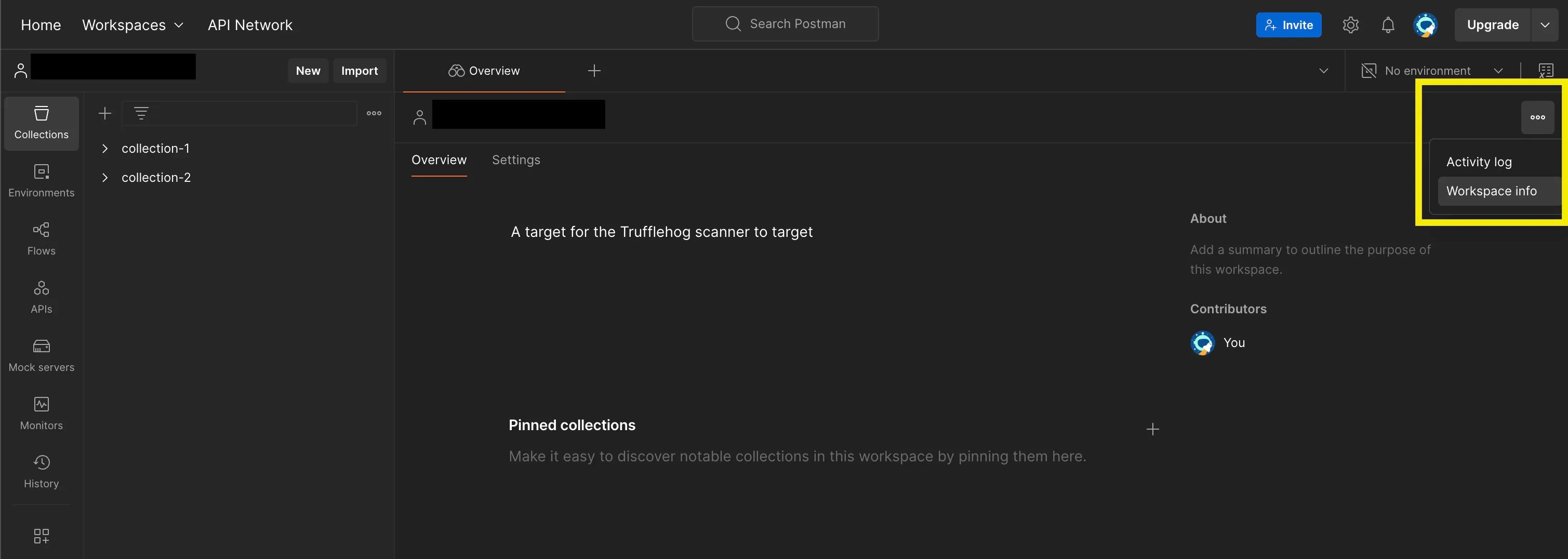
Finding a Workspace ID. Open the workspace in Postman and click the ⋯ menu on the far right of the page to view its ID.
Web configuration
Configure this integration from the Integrations page in TruffleHog. You'll need a Postman API key and the IDs of the workspaces you want to scan.
Local configuration
Multiple workspace IDs can be included. If workspaces is omitted, the scanner enumerates and scans every workspace the API key has access to.
Configuration options
Field | Type | Required | Description |
|---|---|---|---|
token | string | Yes | Postman API key. |
workspaces | list | No | Explicit list of Postman Workspace IDs to scan. Omit to enumerate all workspaces the API key can access. |
Capabilities
Feature | Supported |
|---|---|
Scan workspaces | ✅ |
Scan collections | ✅ |
Scan folders | ✅ |
Scan requests | ✅ |
Scan saved responses | ✅ |
Scan environments | ✅ |
Scan authorization configurations (Basic Auth, Bearer Tokens, API Keys, AWS, OAuth2) | ✅ |
Notes
- The globals environment, workspace response history, and collection descriptions are not scanned.